Teaching AI my photographic language.
Like many of you, I reign over a kingdom of years and years of digital photos.
500GB (!) in my case, to be exact. I end up working with only the newest photos — hello, recency bias! — or the most “famous” or “best” that I happen to remember. Sometimes I scroll through my Instagram to find or remember a photo — or page through an old print zine or computer folder. While I do enjoy the lightness and freedom of digital media, I do want to be intentional about what I can access or remember — and not just lose my art to the void by time and neglect alone. This has resulted in, among other things, the creation of my print magazine JOURNAL.
But retrieval tax is costly. I’ll get a request for print, or suddenly remember an “old” photo from one or two years ago — and then need to remember: Ok, I took that photo in Stockholm, which I’ve only been to once, so it must be from April 2022, which is about 400 photos deep. And so on and so forth for other needles in the haystack.
This cognitive load is massive and tedious and crude. Perhaps you’ve had the discipline to always meticulously organize all your work in Lightroom by theme or concept, but I have not. Tools like Apple Photos have gotten better, like the ability to search by “monochrome” which has become indispensable for me.
Not just searching for dates, places, colors, faces (I hate this), or dogs — but to search by sentiment, mood, abstract concepts: silence, liminality, sadness, elation, anxiety, freedom, noir, dépaysée, gaijin, inflection point, etc. How I see them. How I see the world.
But, I want more.
I wrote a few years ago about The Indecisive Moment: Street Photography & AI, and in it I said:
And I think about how much I’d love to train a custom AI model (for my use only!) with the tens of thousands of photos I’ve taken over the years to generate wild new versions of my own work free from temporal and geographical bounds, soaring creatively in a world of my own curation. All that visual data! My eyes gleam with the possibilities.
And recently I’ve gotten back to thinking about this.
Let me take a moment here to decouple generative AI from other forms of machine learning or thinking. Generative AI is what, around these parts, gets the strongest response: using AI to generate whole-cloth new artifacts (written or visual) from the ether with a prompt and then calling it art or authored. This is just one type of AI. My quote above refers to this type, albeit using my own work as training data rather than that culled from the masses.
Today I am not talking about this.
Today I am talking about visual memory and sensibility, and using machines in the service of my own self-discovery as an artist.
How to Build a Photographic Brain: The First Search
My goal is to be able to see and work with all my photography at a meta semantic level.
To query it, to cross-reference it.
To recombine and rediscover — and be surprised by it.
To own it, and reign over a truly authored and accessible kingdom.
I researched yesterday morning how to do this, and by afternoon I had decided on and built the first search.
I built this entirely on my own Macbook Air in an isolated virtual Python environment — for free. Nothing is in the cloud. All my photos stay exactly where they are on my hard drive and SSD drive. I used FiftyOne, “an open-source toolkit for curating, visualizing, and evaluating physical AI and computer vision datasets” and CLIP which is a model that can learn to associate visual concepts and natural language. Again, this is all private and running on my Mac.
It is an AI-powered index of my photographic archive, which I will gradually teach my own photographic vocabulary.
I spent most of my workday setting it up. Then, my initial test was with a baby dataset — only 12 images (!) from my From Fuji to Üetli exhibition.
My first search was: “flower.”
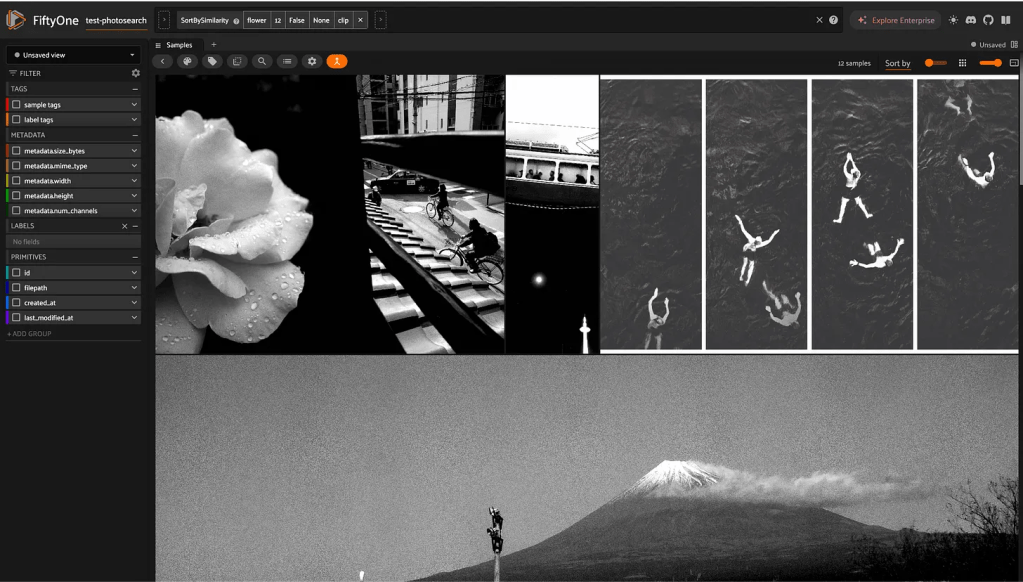
Success! The rainy Swiss rose came up as most relevant. This felt like magic.
Then: “mountain”.
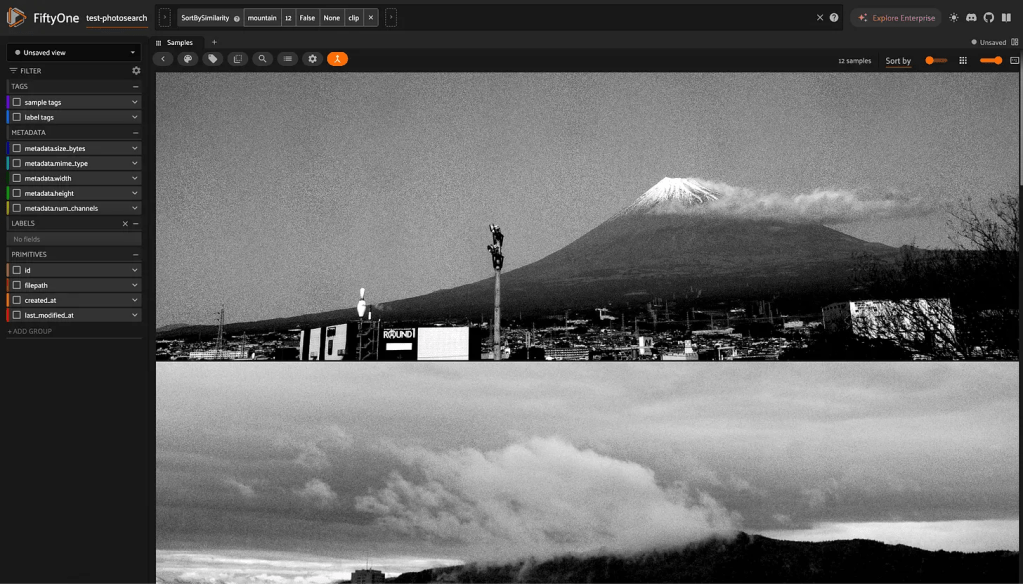
Success!
This is still basic generic understanding, but it is early days for this experiment. Getting all the pipes connected was today’s work.
Now, onward into the conceptual.
Next up: I will try to teach it abstract concepts from my own photographic language.

